 2026-27 Admissions Open – Enrol Your Child Today!
5 Creative Summer Vacation Activities for Students That Build Future Skills
Summer vacation is more than just a break from school. It is an opportunity for children to explore new interests, learn practical skills, and grow through hands-on experiences. At Rysen Summer Camp 2026, students participated in a wide range of engaging activities designed to make learning fun and meaningful.
From creative art projects and language challenges to AI-based learning and outdoor games, these summer vacation activities for students encouraged curiosity, creativity, communication, and problem-solving. In this guide, we share some of the most popular activities from the camp that children can also enjoy at home during their summer break.
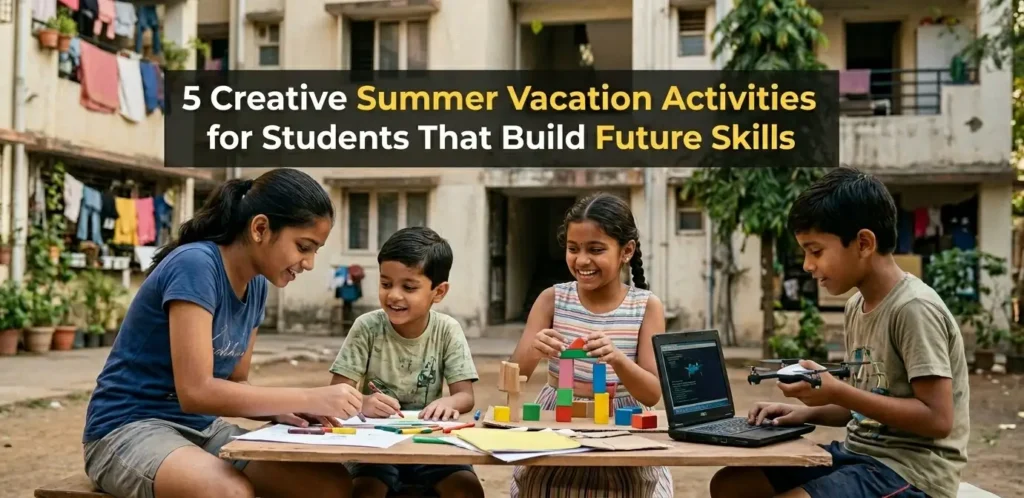
Table of Contents
5 Summer Vacation Activities for Students
These activities are simple, engaging, and suitable for students of different age groups.
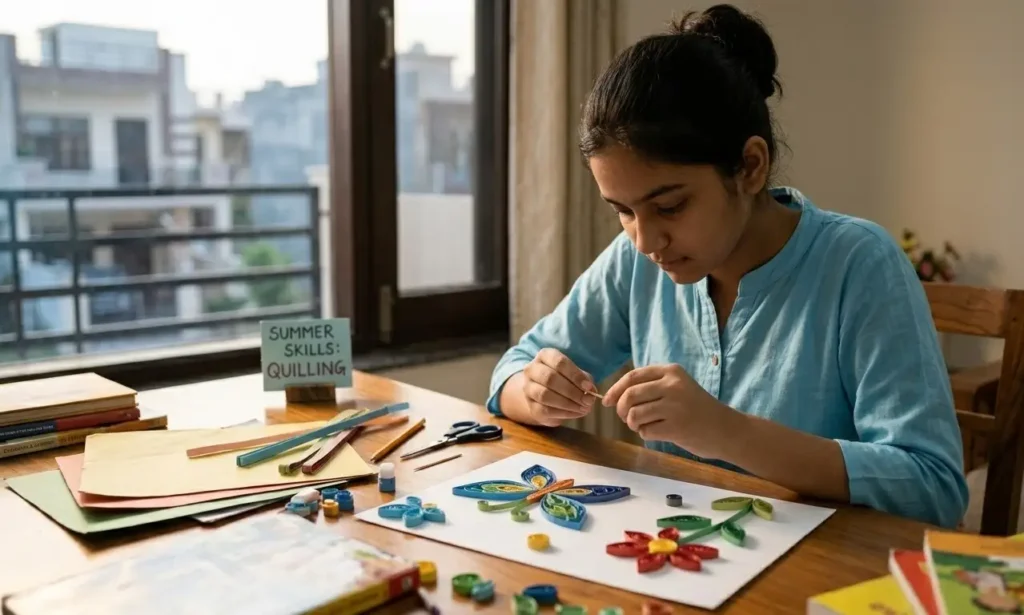
1. Paper Quilling and Origami
Paper-based crafts encourage students to follow instructions and create designs using simple materials.
Paper Quilling Steps
- Collect old coloured paper, magazines, or newspapers.
- Cut the paper into thin strips.
- Roll each strip tightly using a pencil or toothpick.
- Remove the roll and allow it to loosen slightly.
- Shape the roll into circles, teardrops, or leaves.
- Glue the shapes onto a sheet of paper.
- Arrange them to create flowers, butterflies, or decorative patterns.
Origami Steps
- Take a square sheet of paper.
- Fold it in half and unfold it.
- Follow simple folding patterns for a bird, flower, boat, or airplane.
- Press each fold firmly.
- Continue folding until the shape is complete.
- Decorate the finished model if desired.

2. Vocabulary Challenge – Learn 5 Words Daily
This activity can become part of a student’s daily routine throughout summer vacation.
How to Do It
- Select five new English words.
- Write them in a notebook.
- Find and record their meanings.
- Create one sentence using each word.
- Read the words aloud three times.
- Use at least two words during conversations.
- Review previous words before adding new ones.
Sample Vocabulary List
| Word | Meaning | Example Sentence |
| Curious | Eager to know | I am curious about space. |
| Improve | To make better | I want to improve my writing. |
| Journey | A trip | Our journey started early. |
| Create | To make something | I like to create drawings. |
| Honest | Truthful | She gave an honest answer. |
3. Comic Strip Design
This activity can become part of a student’s daily routine throughout summer vacation.
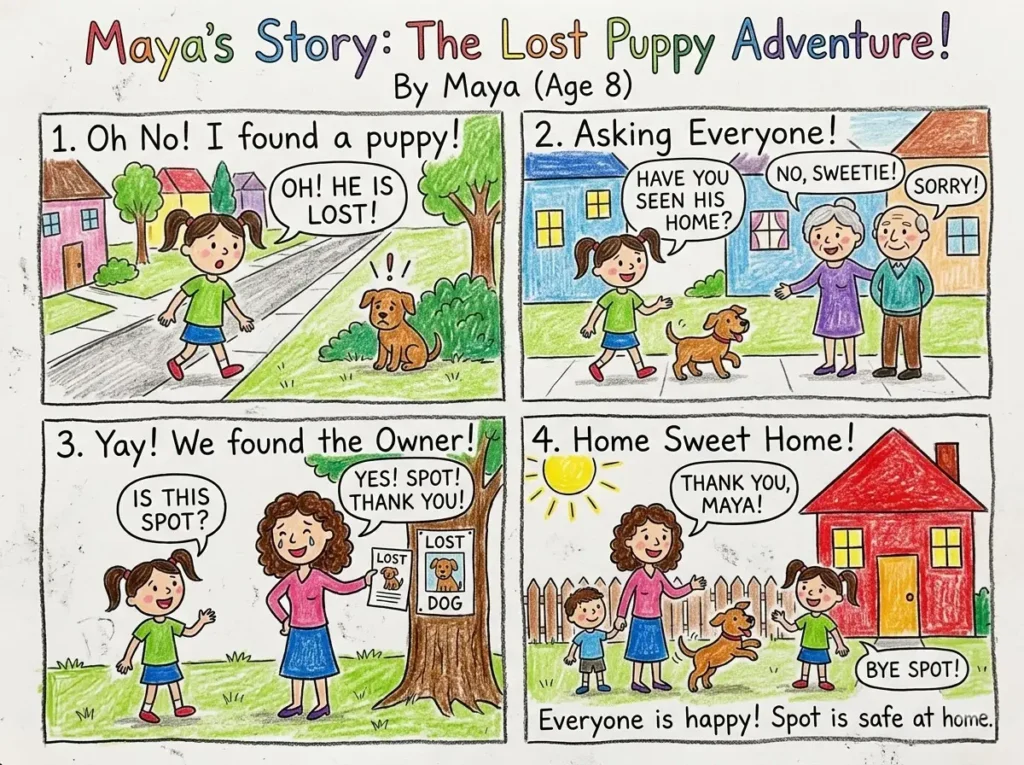
How to Create a Comic Strip
- Think of a short story.
- Divide a page into four to six boxes.
- Draw the opening scene.
- Continue the story one scene at a time.
- Add speech bubbles for characters.
- Write short captions where necessary.
- Outline the drawings.
- Colour the comic strip.
- Review and make final changes.
4. AI Use and App Development
Technology projects can help students understand how digital tools work.
Using AI for a Single Project
- Choose a topic or question.
- Open a free AI tool like ChatGPT, Google Gemini, ClaudAI, etc.
- Ask for ideas or information. Example AI Prompt: “I am a Class 5 student. Explain the water cycle in simple language and give me 5 quiz questions.”
- Save useful responses.
- Organise the information into notes.
- Review and edit the final content.
Build a Simple Task App
- Open a free no-code platform like MIT App Inventor or Thunkable.
- Create a new project.
- Add a text box for tasks.
- Add an “Add Task” button.
- Insert a task list area.
- Connect the button to the list.
- Test the app.
- Make adjustments if needed.
- Save the completed project.
Project Ideas
Homework Reminder App
Step 1: Open a No-Code Platform
Visit MIT App Inventor or Thunkable and create a free account.
AI Prompt:
“I want to build a simple task management app for students. Suggest the basic screens and features I should include.”
Step 2: Create a New Project
Click “Create New Project” and name it Student Task App.
AI Prompt:
“Suggest a simple and attractive name for a student homework reminder app.”
Step 3: Add a Task Input Box
Drag and drop a text box where users can enter tasks.
AI Prompt:
“What fields should a student task app include besides a task name?”
Step 4: Add an ‘Add Task’ Button
Insert a button below the text box and label it Add Task.
AI Prompt:
“Suggest button names for a student productivity app.”
Step 5: Create a Task List Area
Add a List View component to display all saved tasks.
AI Prompt:
“How should tasks be displayed in a simple student planner app?”
Step 6: Connect the Button to the List
Create a block that adds the entered task to the list when the button is clicked.
AI Prompt:
“Explain how an Add Task button should work in a to-do list app.”
Step 7: Test the App
Run the app on a mobile device and add several sample tasks.
Example Tasks:
- Complete homework
- Learn 5 new words
- Read for 20 minutes
- Practice drawing
AI Prompt:
“Give me 10 sample tasks for a student productivity app.”
Step 8: Improve the Design
Add colours, icons, or categories to make the app easier to use.
AI Prompt:
“Suggest simple design improvements for a student task management app.”
Step 9: Save and Share
Save the project and share it with friends or family for testing.
AI Prompt:
“Create a short description for my Student Task App project.”
Final Project Example
Project Name: Student Task App
Features:
- Add daily tasks
- View task list
- Track homework
- Manage summer vacation activities
- Organize daily learning goals
Tools Used:
- MIT App Inventor
- Thunkable
- ChatGPT (for planning and ideas)
Daily Habit Tracker
Step 1: Open a No-Code App Builder
Visit MIT App Inventor, Thunkable, or Glide and create a free account.
AI Prompt:
“I want to build a Daily Habit Tracker app for students. Suggest the main screens and features.”
Step 2: Create a New Project
Start a new project and name it Daily Habit Tracker.
AI Prompt:
“Suggest creative names for a student habit tracker app.”
Step 3: Add Habit Categories
Create a list of daily habits students want to track.
Example Habits:
- Reading
- Exercise
- Learning New Words
- Homework Completion
- Meditation
- Outdoor Play
AI Prompt:
“Suggest 15 healthy daily habits for school students.”
Step 4: Add Habit Input Fields
Create a section where users can add their own habits.
AI Prompt:
“What fields should be included in a student habit tracking app?”
Step 5: Add Checkboxes or Completion Buttons
Allow students to mark habits as completed.
AI Prompt:
“How should a habit tracker app record completed activities?”
Step 6: Create a Daily Progress Screen
Display completed and pending habits for the day.
AI Prompt:
“Suggest a simple dashboard layout for a student habit tracker.”
Step 7: Add a Streak Counter
Create a feature that counts how many consecutive days a habit is completed.
AI Prompt:
“Explain how a streak system works in a habit tracker app.”
Step 8: Test the App
Use the app for a few days and mark habits as completed.
Sample Daily Habits:
- Read for 20 minutes
- Learn 5 new words
- Exercise for 30 minutes
- Drink enough water
- Complete homework
AI Prompt:
“Create a sample daily habit checklist for students during summer vacation.”
Step 9: Improve the Design
Add icons, progress bars, and motivational messages.
AI Prompt:
“Suggest beginner-friendly design improvements for a student habit tracker app.”
Step 10: Save and Share
Save the project and ask friends or family members to test it.
AI Prompt:
“Write a short project description for my Daily Habit Tracker app.”
Final Project Example
Project Name: Daily Habit Tracker
Features:
- Add custom habits
- Mark habits as completed
- Track daily progress
- View completion history
- Monitor habit streaks
- Manage summer vacation goals
Tools Used:
- MIT App Inventor
- Thunkable
- Glide
- ChatGPT (for planning and feature ideas)
Sample Habits to Track:
- Reading
- Exercise
- Vocabulary Practice
- Creative Activities
- Outdoor Games
- Meditation
- Homework Completion
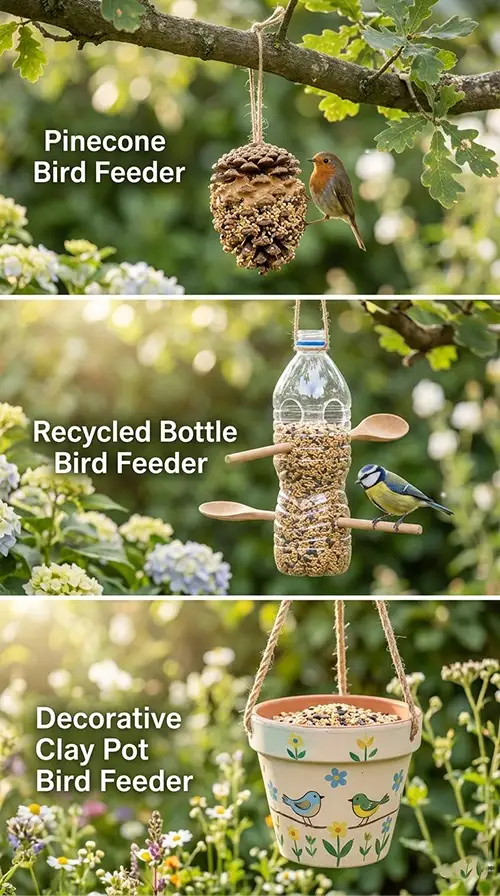
5. Bird Feeders Using Recycled Materials
Bird feeder projects combine creativity with simple outdoor activities.
Pinecone Bird Feeder
- Collect a pinecone.
- Tie a string around it.
- Spread peanut butter over the surface.
- Roll it in birdseed.
- Hang it on a tree branch.
Recycled Bottle Bird Feeder
- Wash an empty plastic bottle.
- Make small holes near the bottom.
- Insert wooden sticks through the holes.
- Cut feeding openings above the sticks.
- Fill the bottle with birdseed.
- Hang it outdoors.
Decorative Clay Pot Bird Feeder
- Clean an old clay pot.
- Paint simple designs on it.
- Allow it to dry.
- Fill it with birdseed.
- Place it in a garden or balcony.
Bonus: Daily Outdoor Group Games
Outdoor games are a great addition to a summer routine.
I Spy
- One player chooses an object.
- The player says, “I spy with my eye something that starts with…”
- Other players guess the object.
- The first correct guess chooses the next object.
Chain Tod (Chain Tag)
- Select one player as the catcher.
- The catcher tags another player.
- Both players hold hands and continue tagging others.
- The chain grows longer after each tag.
- The game continues until everyone joins the chain.
Satolia (Seven Stones)
- Stack seven flat stones.
- Divide players into two teams.
- One team throws a ball to knock down the stack.
- The same team tries to rebuild the stack.
- The other team throws the ball to stop them.
- If the stack is rebuilt, that team wins the round.
Barf Pani
- Mark a safe area for players.
- One player becomes the caller.
- The caller shouts either “Barf” (freeze) or “Pani” (move).
- Players must immediately follow the command.
- Anyone making the wrong action is out.
- Continue until one player remains.
Productive Things to Do in Summer Vacation
If you are searching for productive things to do in summer vacation, focus on activities that encourage creating, building, reading, writing, and exploring.
The best approach is to follow a simple daily routine:
- 30 minutes for a creative activity
- 15 minutes for vocabulary practice
- 30 minutes for an AI or app project
- 15 minutes for bird feeder work
- 45–60 minutes for outdoor games
Why Summer Vacation Is Important for Students
Time to Relax and Recharge
Time to Relax and Recharge
Opportunities for Learning Beyond the Classroom
Opportunities for Learning Beyond the Classroom
Building New Skills During School Breaks
Building New Skills During School Breaks
How to Utilize Summer Vacation Effectively
Many parents ask how to utilize summer vacation in a meaningful way. Here are a few practical suggestions.
Set Personal Learning Goals
Encourage children to choose one or two skills they want to improve during the break. It could be reading, public speaking, coding, drawing, or sports. Simple goals help children stay motivated and focused.
Create a Daily Routine
A flexible routine helps children balance learning, recreation, and rest.
Include:
- Reading time
- Physical activity
- Creative activities
- Family interaction
- Free play
Balance Learning and Recreation
Children do not need a packed schedule. The goal is to create a healthy mix of learning and enjoyment. Learning becomes more effective when children are having fun.
Reduce Excessive Screen Time
Technology can be useful when used purposefully. Encourage children to spend more time building, creating, reading, exploring, and interacting with others.
Conclusion
The best summer vacation activities for students combine learning with hands-on experiences. Whether children are creating paper crafts, learning new words, designing comic strips, building simple apps, or making bird feeders, each activity keeps them actively involved during the break.
If you are wondering how to spend summer vacation productively, start with a few simple activities and follow a consistent routine. Small daily efforts can make summer vacation both enjoyable and meaningful.
Share this article

Frequently Asked QUESTIONS
Q1. What are the best summer vacation activities for students?
Paper crafts, vocabulary challenges, comic strip design, AI projects, bird feeders, and outdoor games are excellent summer activities.
Q2. How can students spend summer vacation productively?
Students can follow a daily routine that includes creative projects, reading, learning activities, and outdoor games.
Q3. Why are summer learning activities important?
Summer learning activities help students stay engaged through hands-on experiences and creative exploration.
Q4. How can parents reduce screen time during summer vacation?
Parents can encourage craft projects, outdoor games, reading activities, and DIY learning experiences.
Q5. What skills can children practice during summer vacation?
Children can practice creativity, communication, observation, organization, and technology-related skills through structured activities.